This plugin can be installed directly from your site.
Step 1:
We have introduced the WPEA GeoDirectory EventsAddon as an add-on to the WP Event Aggregator. Therefore, you need to install both the Free and Pro plugins of WP Event Aggregator to use the add-on. You can see how to install WP Event Aggregator (Free and Pro) from Here.
Step 2:
Download the “WPEA GeoDirectory Events Addon” plugin from your profile on https://xylusthemes.com/
Step 3:
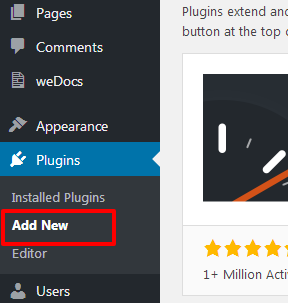
Log in and navigate to Plugins & Add New.
Step 4:
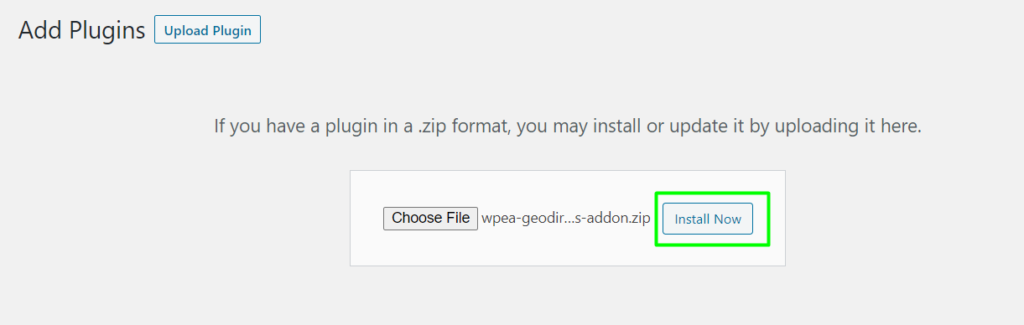
Click on the Upload plugin button and upload the “WPEA GeoDirectory Events Addon” zip file and click on the install now button.
Step 5:
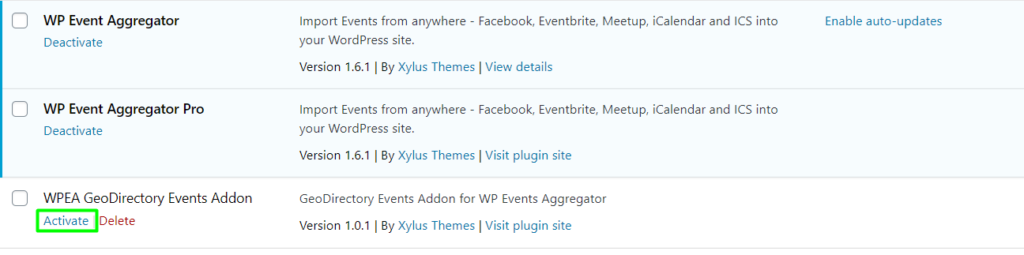
Locate “WPEA GeoDirectory Events Addon” in the list and click the “Activate” link.