
The WPEA Events Calendar WD Addon allows you to seamlessly and automatically import events into the Events Calendar WD plugin.
Importing Events by Eventbrite Event ID
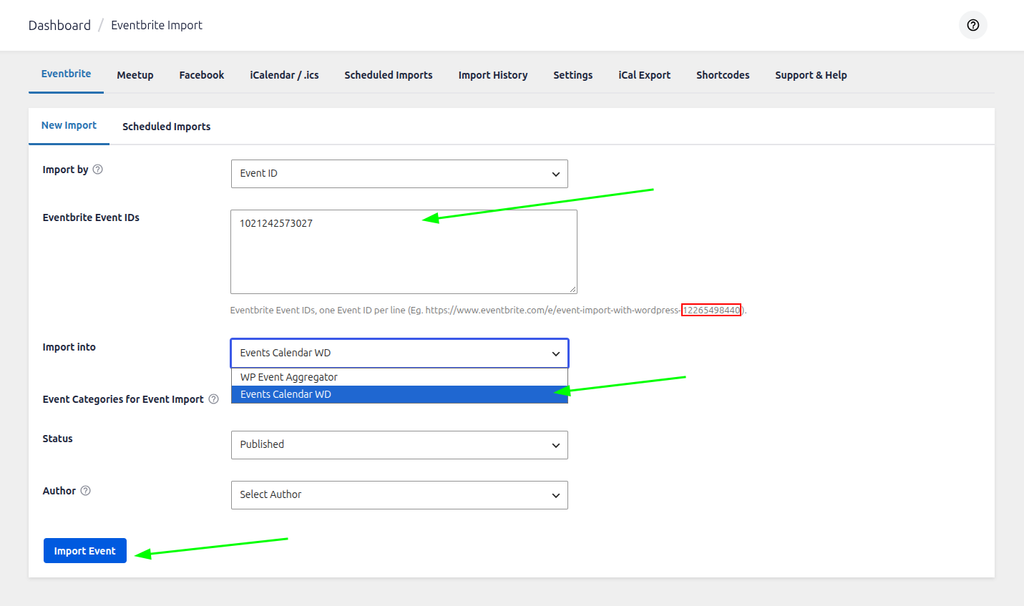
Import By: You need to choose “Eventbrite Event ID” from the dropdown to import an event using a specific ID.
Eventbrite Event ID: Enter the ID of the Eventbrite event you wish to import.
Import Into: Choose “Events Calendar WD” from the drop-down list to ensure the event is created correctly.
Status: Select the default status for the imported event (Published or Draft).
Finally, click the Import Events button to fetch the events into your WordPress site.
Finding the Eventbrite Event ID: You will need to know the Event ID of the event you wish to import. This can be easily found by looking at the URL of the event on eventbrite.com.

When you click and view a particular event on Eventbrite, the ID is typically the long string of numbers at the very end of the URL.
Copy this ID and paste it into the large Eventbrite Event ID field. (Note: You can import multiple events at once by adding different IDs on separate lines!)
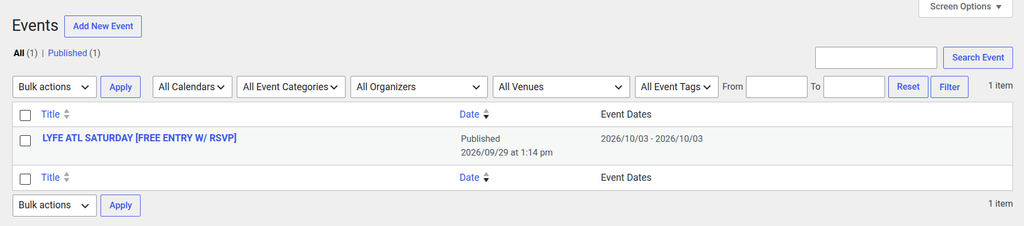
Once imported, you will see the new events listed under Events Calendar WD.
Importing Events from an Eventbrite Organizer
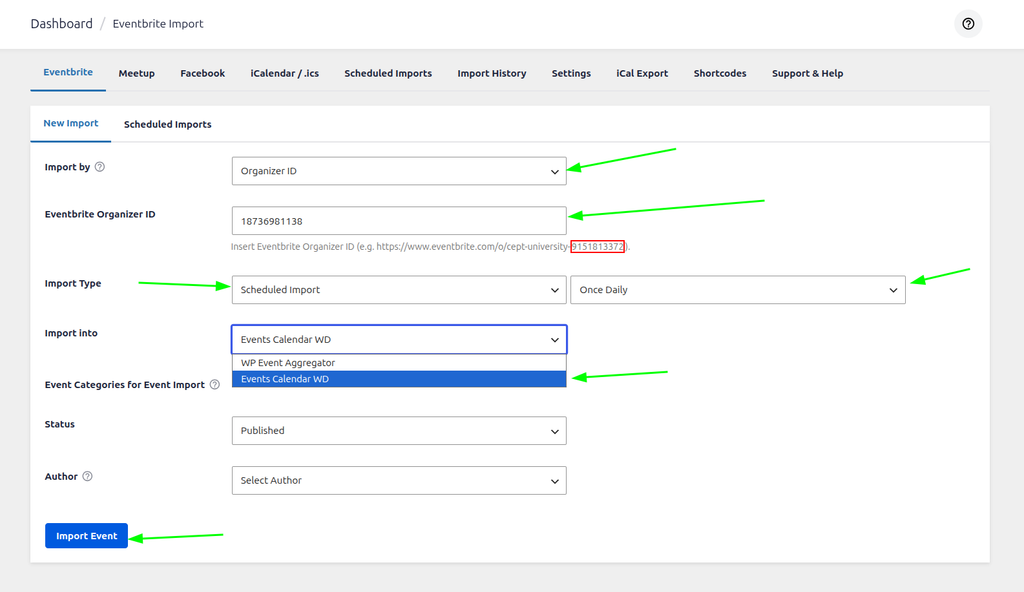
Import By: To import all events from a specific organizer, choose the Eventbrite Organizer option.
Import Type: You can choose a one-time import or a scheduled import. If you select Scheduled Import, you can set the frequency to: Once Hourly, Twice Daily, Once Daily, Once Weekly, or Once Monthly.
Once Hourly => The import runs automatically once every hour. It will fetch new events and update existing ones hourly.
Twice Daily => The import runs automatically twice a day, fetching new events and syncing changes.
Once Daily => The import runs automatically once a day, fetching new events and syncing changes.
Once Weekly => The import runs automatically once a week, fetching new events and syncing changes.
Once Month => The import runs automatically once a month, fetching new events and syncing changes.
Status: Select the default status of the imported events (Published or Draft).
Click the Import Events button to begin the sync process.
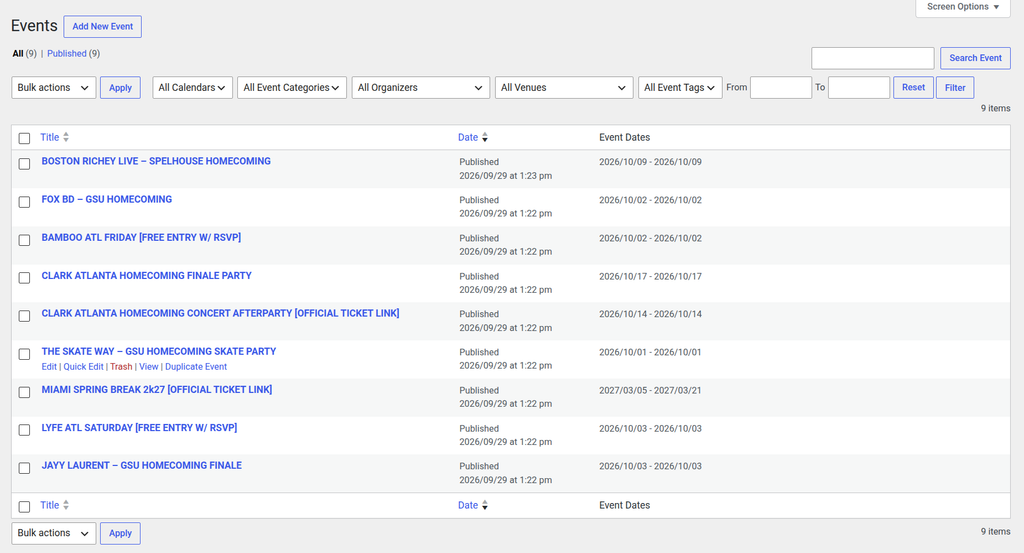
Now you can see your imported events under Events Calendar WD. This is how you automate event imports using Eventbrite Organizers!