
The WPEA Woocommerce Events Manager Addon allows you to import events into the Woocommerce Events Manager plugin automatically.
Import Eventbrite events from “WPEA Woocommerce Event Manager Addon” into the “Woocommerce Events Manager” plugin.
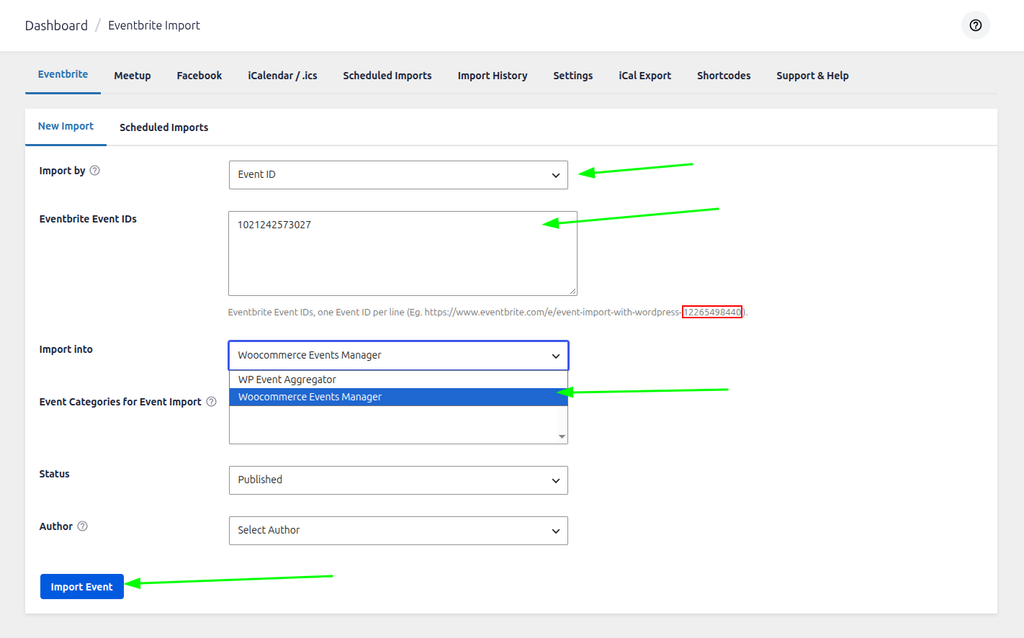
Import by: You has to choose Eventbrite Event Id from the dropdown for import event by Eventbrite Event ID.
Eventbrite Event ID: You want to enter the event id of Eventbrite events.
Import into: You have to choose “Woocommerce Events Manager” from the drop-down list to import an event into Woocommerce Events Manager.
Status: You can select the option of published or draft events.
Then you click on Import events button events import in your WordPress.
Eventbrite Event ID: You are also going to need to know the Event Id of the event you wish to import – this can be quite easily determined by looking at the URL of the event on eventbrite.com
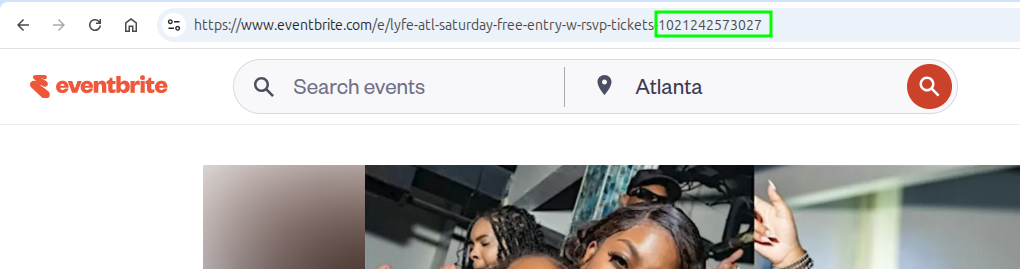
Now you see an event you get ID of a particular event on click of that event.
Copy this ID and enter it in the large import events by their Eventbrite ID field (noting you can actually add lots of different IDs – just place them on separate lines)
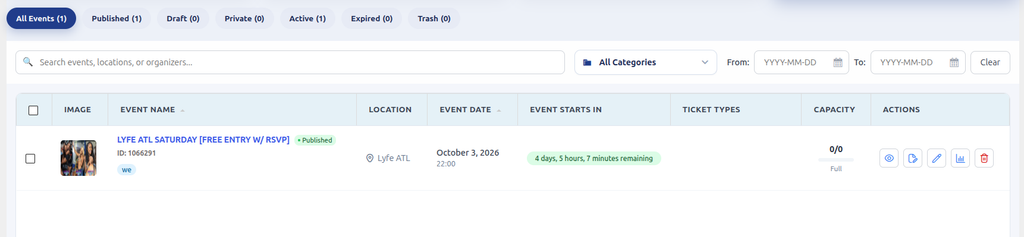
Now You can see Imported events on Woocommerce Events Manager. so this way you import your Eventbrite event using Eventbrite Event ID.
WPEA Woocommerce Events Manager Addon to Woocommerce Events Manager plugin by Eventbrite Organizer id
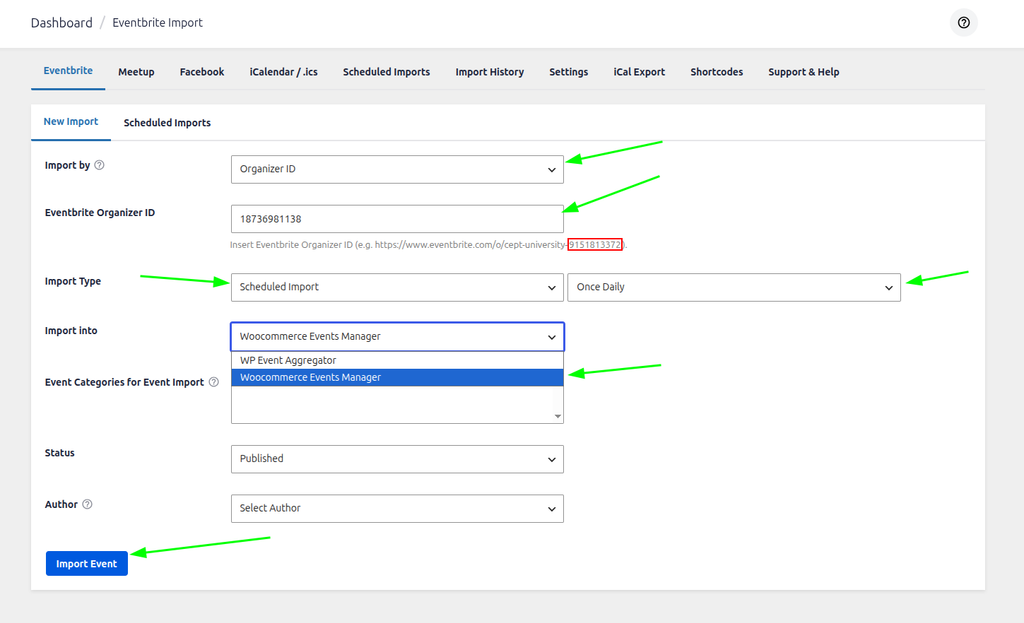
Import By: If you want to import events from the page then You have to choose option import by My Pages.
Import type: You can import events based on one-time or scheduled import. If you select Scheduled import then you can set Scheduled by Once Hourly, Once Month, Once-Weekly, Twice Daily, Once Daily.
Once Hourly=> If you choose Once Hourly. Import run automatically once in Hour so it will import all events from Eventbrite events and update events existing events once in Hourly instance.
Once Month=> If you choose Once Month. Import run automatically once in a month so it will import all events from Eventbrite and update existing events once in Month.
Once Weekly=> If you choose Once Weekly from select option then Import runs automatically once in a week so it will WPEA Woocommerce Events Manager Addon and update existing events once in Week.
Once Daily=> If you choose Once Daily from select option then Import run automatically once in a day so it will WPEA Woocommerce Events Manager Addon and update existing events once in a day.
Twice Daily=> If you choose Twice Daily from select option then Import run automatically twice in a day so it will WPEA Woocommerce Events Manager Addon and update existing events twice in a day.
Status: You can select the option of published or draft events.
Then you have to click on the Import Events button to import events in your WordPress.
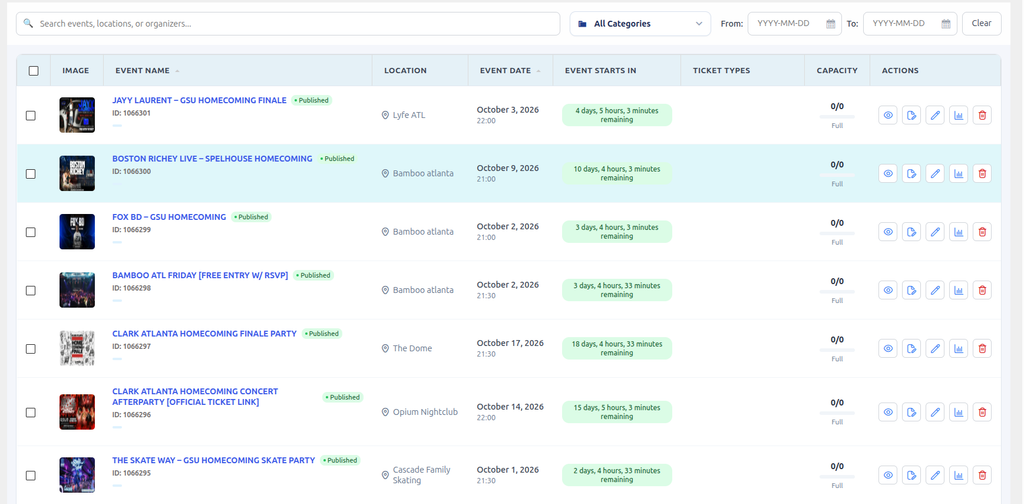
Now You can see Imported events on Eventbrite Events .so this way you import your Eventbrite event using My Pages.