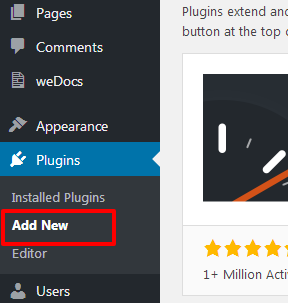
This plugin can be installed directly from your WordPress site.
Step 1:
Step 2:
Download the “Import Listing Pro Addon” plugin from your profile on https://xylusthemes.com/.
Step 3:
Log in to your WordPress dashboard and navigate to Plugins > Add New Plugin.
Step 4:
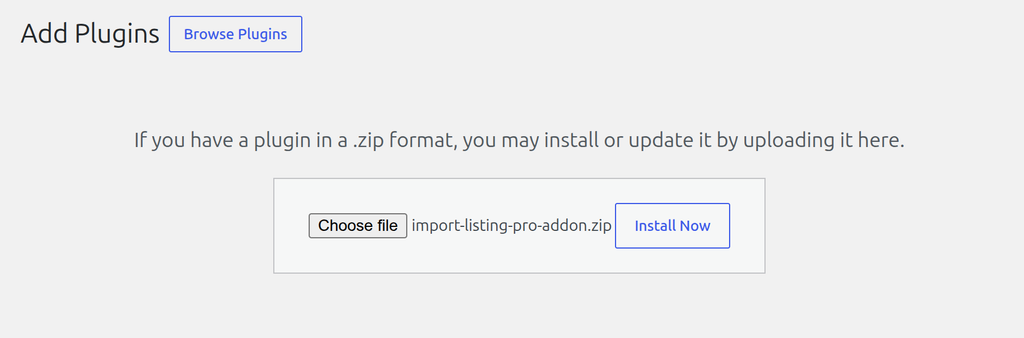
Click the Upload Plugin button, upload the “Import Listing Pro Addon” ZIP file, and click the Install Now button.
Step 5:
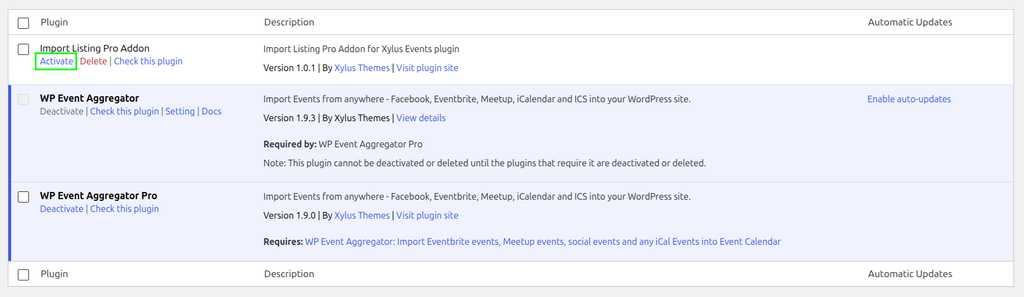
After the installation is complete, locate “Import Listing Pro Addon” in the plugins list and click the Activate link.
Was this article helpful to you?
Yes
No