
Articles
This plugin can be installed directly from your site.
Step 1:
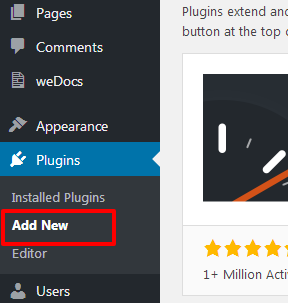
Log in and navigate to Plugins & Add New.
Step 2:
Type “Facebook Events” into the Search input and click the “Search” button.

Step 3:
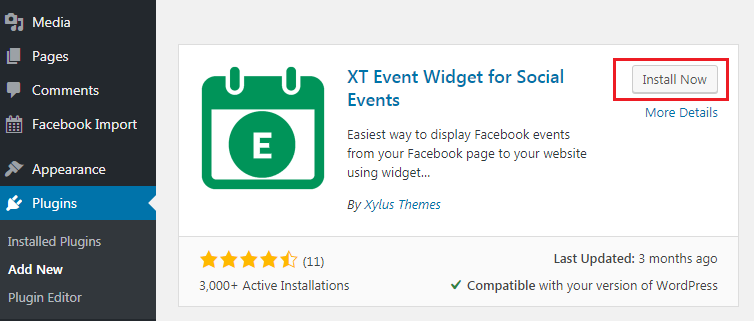
Locate the “Facebook Events” in the list of search results and click “Install Now”.
Step 4:
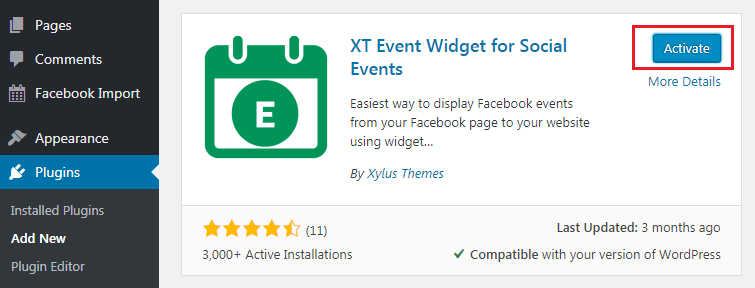
Click the “Activate Plugin” link at the bottom of the install screen.
It can also be installed manually.
Step1:
Remove basic version of this plugin if you have installed.
Step 2:
Download the “XT Widget for Social Events” plugin from xylusthemes.com.
Step 3:
Unzip the package and move to your plugins directory.
Step 4:
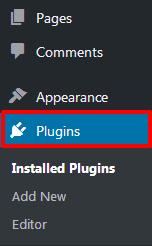
Log into WordPress and navigate to the “Plugins” screen.
Step 5:
Locate “Facebook Events” in the list and click the “Activate” link.

You’re done with that? Great! Let’s get started.