
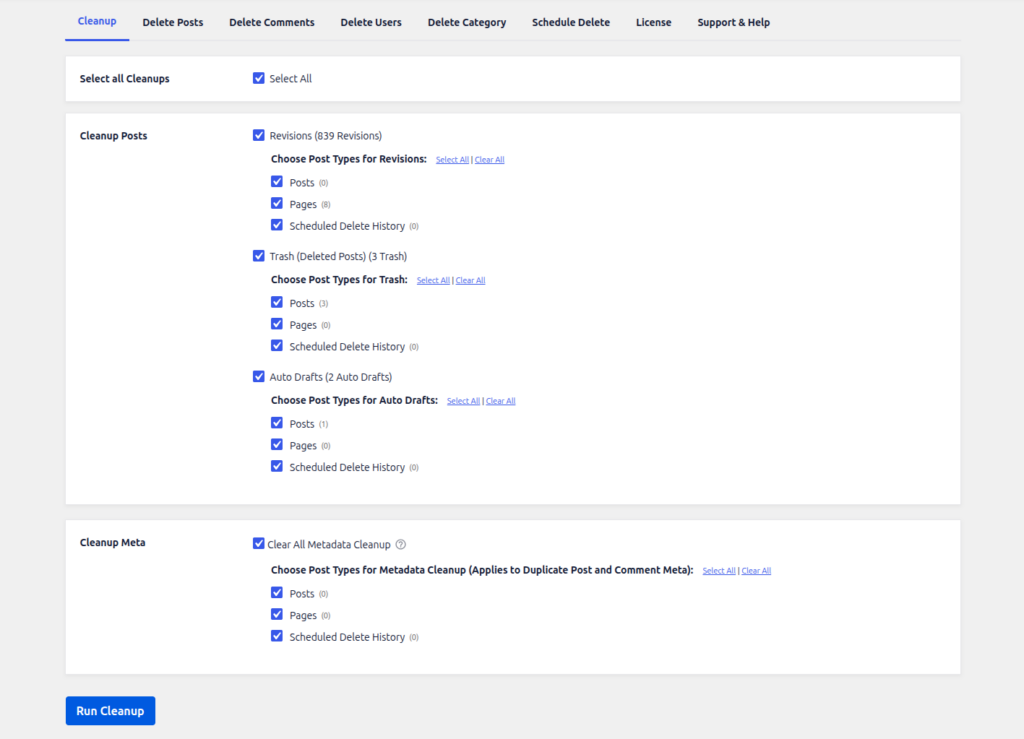
In the Cleanup option, select the post or metas that you want to permanently delete.
Select the Select All Cleanups option and click the Run Cleanup button, all revision posts, trash posts, auto draft posts, and all metas will be permanently deleted.
Revision
You can delete all revisions. The Advance Option allows you to delete revisions of a separate/specific post type only, instead of deleting revisions from all post types at once.
Trash
You can delete all posts that are currently in the Trash. The Advance Option allows you to delete trashed posts of a separate/specific post type only.
Auto Draft
You can delete all Auto Draft posts. The Advance Option allows you to delete auto drafts of a separate/specific post type only.
All
Selecting All will delete revisions, trash, and auto draft posts together, across all post types, or a specific post type if chosen via the Advance Option.