
Open the Tickets tab in the Live Feed builder to control the call-to-action button and its labels. A few options change depending on the platform you picked.
Ticket Button Style (Eventbrite only)
- Popup Modal (recommended) — visitors buy/register without leaving your site.
- Link to Eventbrite page — opens the event’s Eventbrite page in a new tab.
Meetup events always link directly to meetup.com. Facebook events always link directly to facebook.com/events.
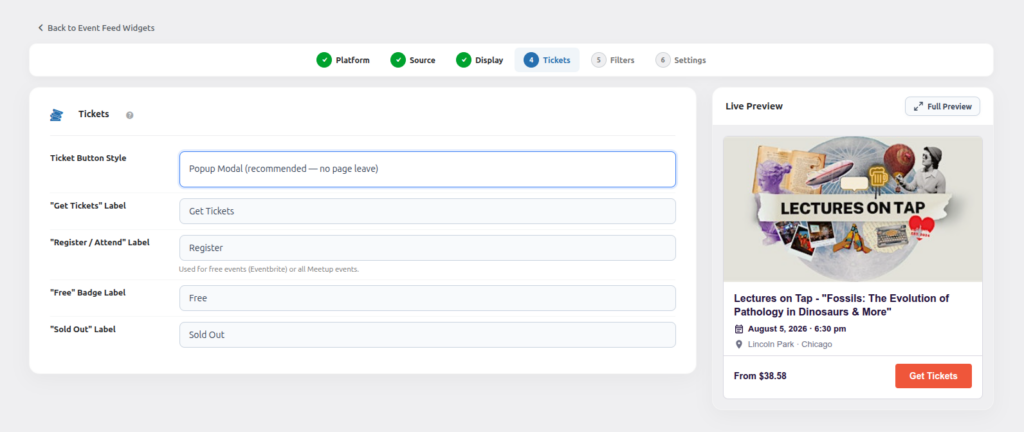
“Get Tickets” Label
The button text shown on paid Eventbrite events.
“Register / Attend” Label
Used for free Eventbrite events, and for all Meetup and Facebook events (as the RSVP/attend action).
“Free” Badge Label
The text shown on the small badge for free events.
“Sold Out” Label (Eventbrite only)
The text shown in place of the buy button once an Eventbrite event sells out.