
The iCal Export tool lets you export events that already exist on your own website — created via WP Event Aggregator’s Eventbrite, Meetup, Facebook or iCal imports — as a standard .ics calendar file. This is different from importing: here you’re taking your site’s own event data (the wp_events post type) and generating a downloadable calendar file that can be opened in Google Calendar, Outlook, Apple Calendar, or shared with anyone.
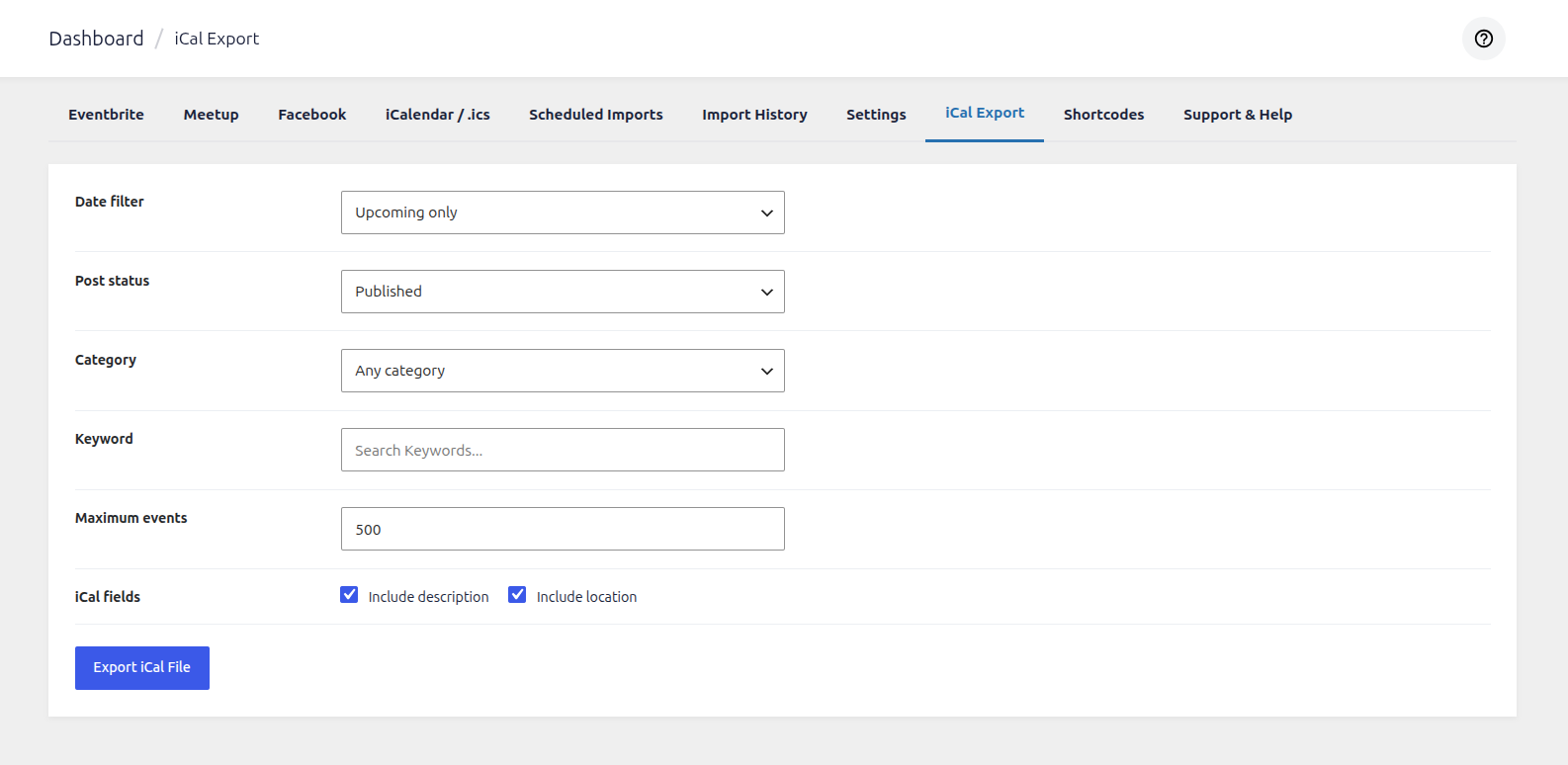
Date filter
Controls which events (by date) get included in the export — Upcoming only, Past only, or All events. Use this to keep the export limited to what’s actually relevant, instead of dumping every event you’ve ever had on the site.
Post status
Decides which event posts are eligible based on their WordPress publish status — Published, Draft, Pending, etc. Most users leave this on Published so only live, public-facing events go into the .ics file.
Category
Restricts the export to a single event category, or leave it on Any category to include events from all categories. Handy if you only want to export, say, “Workshops” or “Webinars” as a separate calendar feed.
Keyword
An optional search box — type any word and only events whose title or content match that keyword will be included. Leave it blank to skip keyword filtering entirely.
Maximum events
Sets a hard cap on how many events are written into the .ics file (default: 500). This keeps very large sites from generating an oversized file that’s slow to download or import elsewhere.
iCal fields
Two checkboxes — Include description and Include location — let you choose how much detail is written per event. Turning these off produces a lighter file with just the core event info (title, start/end time).
Export iCal File
Once your filters are set, click Export iCal File to download a .ics file built from your site’s wp_events data. This file can be imported directly into any calendar app that supports the iCalendar format.