
Open the Display tab in your Live Feed builder to control how each event card looks. These options work the same way regardless of which platform (Eventbrite, Meetup or Facebook) you picked in Step 1.
Available layouts
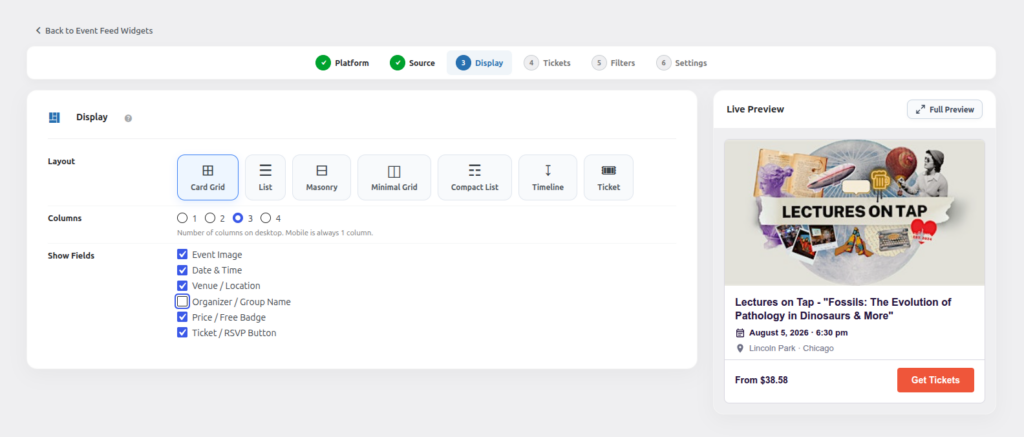
- Card Grid — image-led cards in a responsive grid.
- List — a simple vertical list, good for sidebars.
- Masonry — Pinterest-style staggered grid.
- Minimal Grid — clean, text-focused grid with small thumbnails.
- Compact List — condensed rows, ideal for showing many events at once.
- Timeline — a vertical date-based timeline.
- Ticket — a ticket-stub style card, great for paid/ticketed events.
Columns
Choose 1, 2, 3 or 4 columns for desktop. On mobile, the feed always automatically switches to a single column for readability.
Show/hide fields
Toggle which pieces of information appear on each event card:
- Event Image
- Date & Time
- Venue / Location
- Organizer / Group Name
- Price / Free Badge
- Ticket / RSVP Button
Uncheck anything you don’t want visible — the layout automatically adjusts its spacing.