
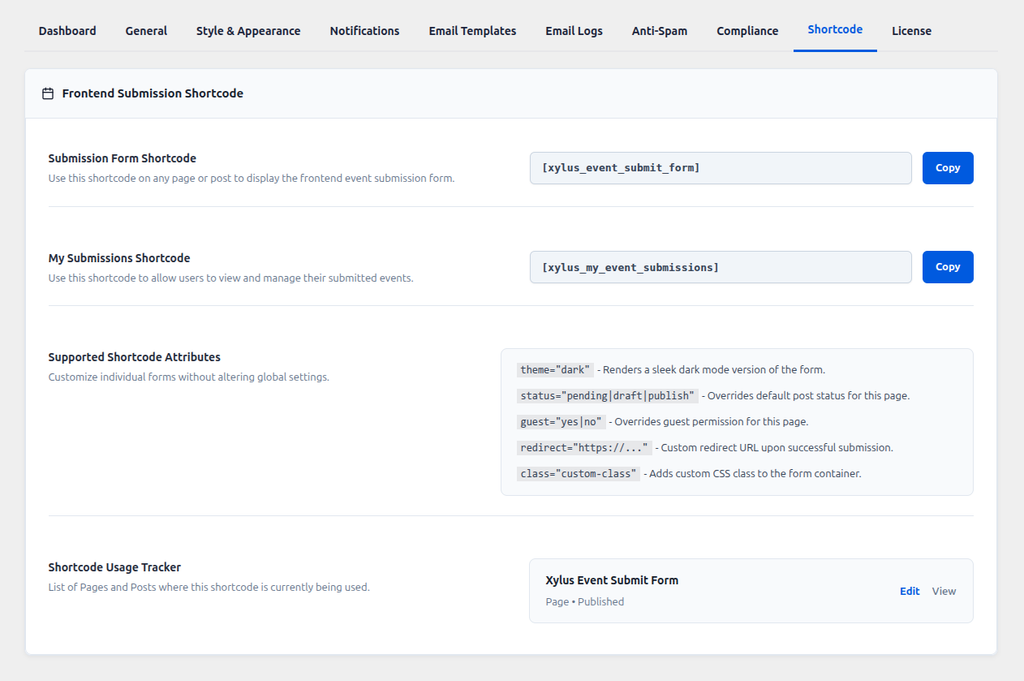
The Shortcode tab (Xylus Frontend Events > Settings > Shortcode) is a quick-reference and copy tool — handy when you’re setting up a new page and don’t want to retype (or mistype) a shortcode from memory.
Copy-Ready Shortcodes
Click Copy next to either shortcode to copy it straight to your clipboard, ready to paste into a page or post:
[xylus_event_submit_form]— the submission form (see The Frontend Submission Form).[xylus_my_event_submissions]— the logged-in user’s personal submissions list (see My Submissions).
Supported Shortcode Attributes
A quick-reference summary of every attribute you can add to [xylus_event_submit_form] to customize an individual page without changing your global settings. Full examples and explanations live on The Frontend Submission Form page — this tab is just the cheat-sheet.
theme="dark"— renders a dark-mode version of the form.status="pending|draft|publish"— overrides the default post status for this page.guest="yes|no"— overrides guest submission permission for this page.redirect="https://..."— a custom redirect URL after a successful submission.class="custom-class"— adds a custom CSS class to the form container.
Shortcode Usage Tracker
Scroll down and you’ll see a live, automatically-generated list of every published page or post on your site that currently uses [xylus_event_submit_form] — with quick Edit and View links for each. This is especially useful on larger sites to quickly confirm where your submission form actually lives, or to check you haven’t accidentally left it on an old page.
Note: the tracker currently detects the submission form shortcode only, not the My Submissions shortcode.